
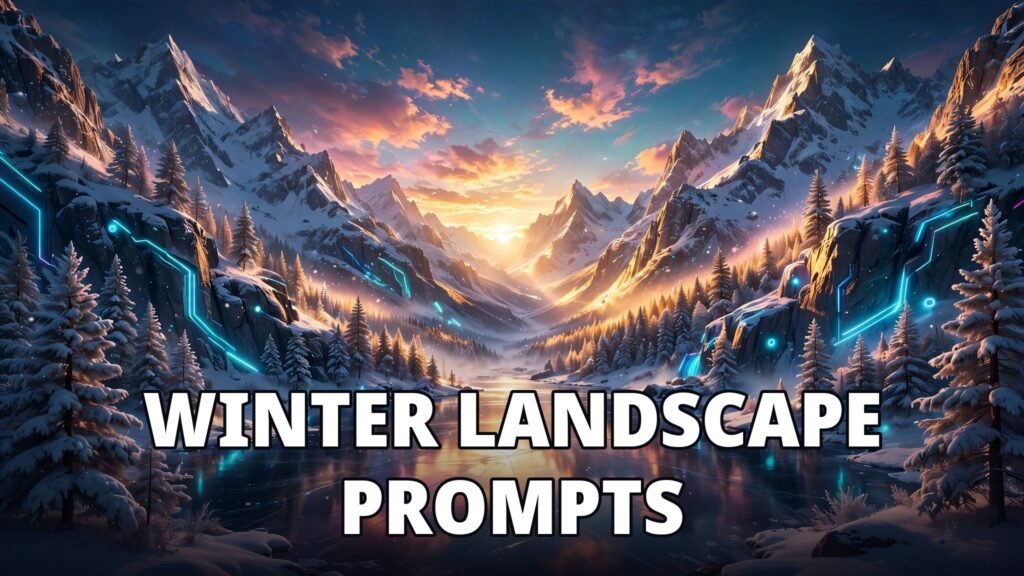
Winter landscapes are some of the most breathtaking scenes you can create with AI image generators — snow-covered pines, frozen lakes, golden light spilling across fresh powder. The good news is that you do not need a camera, a plane ticket, or freezing fingers to capture them. With the right ai image prompts for winter landscapes, tools like Midjourney, DALL-E, and Leonardo AI can produce gallery-worthy snow scenes in seconds.
In this guide, you will find 15 copy-paste ai image prompts for winter landscapes, organized by mood and style. Each prompt includes the exact wording to paste into your generator, plus a tip on how to adapt it. Whether you want a cozy cabin scene, a dramatic mountain vista, or a dreamy aurora sky, there is a prompt here for you.
Table of Contents
How to Use These Winter Landscape Prompts
Before you dive into the list, a quick note on getting the best results from ai image prompts for winter landscapes. AI image generators respond well to detail: mention the light, the weather, the mood, and the camera style. A prompt that says “snowy mountain” gives you a generic scene. A prompt that says “snowy mountain at golden hour, low clouds, cinematic wide shot, photorealistic” gives you something worth framing.
Most of these prompts work across the major generators. If you use Midjourney, add parameters like –ar 16:9 for widescreen or –style raw for a more photographic look. In DALL-E or Leonardo, the words alone are usually enough. And if you are new to image generation entirely, our guide on how to create AI images with ChatGPT walks you through the basics step by step.
1. Snowy Mountain Peaks at Golden Hour
Prompt: “Majestic snow-covered mountain peaks at golden hour, warm sunlight hitting fresh powder, soft pink clouds, pine trees in the foreground, photorealistic, cinematic wide shot, ultra detailed”
Golden hour light transforms an ordinary snowy mountain into something magical, which is why this is one of the most reliable ai image prompts for winter landscapes for beginners. The warm tones against the cool blue snow create natural contrast that makes the image pop, especially as a desktop wallpaper or a print.
2. A Cozy Cabin in a Snowy Forest
Prompt: “A cozy wooden cabin in a snowy pine forest, warm glowing windows, smoke rising from the chimney, snow falling gently, twilight blue hour, storybook illustration style, highly detailed”
This is one of the most popular ai image prompts for winter landscapes because it tells a story. The warm light in the windows against the cold blue forest creates instant emotion. Try it as a Christmas card background or a holiday social post — it pairs beautifully with our AI image prompts for holiday gifts if you are making seasonal presents.
3. Frozen Lake Under the Northern Lights
Prompt: “Frozen lake reflecting the northern lights, green and purple aurora dancing across a starry night sky, snow-covered shoreline, long exposure photography style, breathtaking, ultra detailed”
Aurora scenes are a favorite for phone wallpapers, and this is one of the most shared ai image prompts for winter landscapes on social media. Ask for a long exposure style to get smooth, glowing reflections on the ice. If your generator struggles with the aurora shape, add “ribbons of green light” to guide it.
4. Winter Forest Path After Fresh Snowfall
Prompt: “A quiet forest path covered in fresh untouched snow, tall pine trees heavy with snow, soft morning fog, a single set of footprints, serene and peaceful, photorealistic, 35mm photography”
Minimalist and calm, this is one of the most versatile ai image prompts for winter landscapes — it works well for blogs, meditation apps, and book covers. The single set of footprints adds a human touch without needing a person in the frame.
5. Snowy Village Street at Dusk
Prompt: “Charming snowy village street at dusk, old-fashioned street lamps glowing, snow-dusted rooftops, warm light in shop windows, gentle snowfall, cinematic, Thomas Kinkade inspired”
Village scenes bring warmth to winter imagery. Mentioning a painterly style like Thomas Kinkade pushes the generator toward that glowing, storybook look that performs well on Pinterest.
6. Dramatic Winter Waterfall, Half Frozen
Prompt: “Half-frozen waterfall in a snowy canyon, icicles hanging from dark rocks, mist rising from the water, dramatic winter light, National Geographic photography style, epic scale”
Frozen waterfalls are visually dramatic because they mix motion and stillness, making this one of the strongest ai image prompts for winter landscapes for travel content. The mist and ice textures give the generator plenty of detail to work with, and the result often looks like a real expedition photo.
7. Reindeer in a Snowy Meadow
Prompt: “A majestic reindeer standing in a snowy meadow at dawn, soft golden light, breath visible in the cold air, snowflakes falling, pine forest in the background, wildlife photography, ultra realistic”
Animals add life to winter landscapes. Reindeer, foxes, and owls all work well. Keep the animal as the clear subject and the landscape as the setting, or the generator may crowd the scene.
8. Snow-Covered Bridge Over a Frozen Stream
Prompt: “A small wooden bridge covered in snow crossing a frozen stream, bare winter trees, soft overcast light, muted colors, peaceful minimalist composition, fine art photography”
This is a quieter, more artistic take on winter. Overcast light and muted colors suit fine-art prints and calm website headers. If you want more drama, swap “overcast” for “sunset” and watch the whole mood change.
9. Winter Sunset Over a Snowy Field
Prompt: “Winter sunset over an endless snowy field, orange and purple sky, long blue shadows on the snow, a lone bare tree on the horizon, cinematic composition, breathtaking”
Long shadows on snow are one of winter’s most beautiful natural effects, and AI generators render them surprisingly well. This prompt is perfect for wide banners and social media headers.
10. Icy Blue Glacier Lagoon
Prompt: “Turquoise glacier lagoon with floating icebergs, snow-capped mountains behind, crystal clear water, bright midday light, travel photography, ultra detailed, vibrant colors”
Glacier lagoons, like the famous ones in Iceland, bring a splash of turquoise into the usual white-and-blue winter palette. This is a strong choice if you want winter images that still feel vivid and colorful.
11. Snowy Mountain Village in the Alps
Prompt: “Picturesque alpine village in winter, chalets with snow-covered roofs, church steeple, towering snowy peaks behind, clear blue sky, postcard photography, highly detailed”
Alpine villages are a classic for a reason. They combine architecture, mountains, and sky in one frame. Use this prompt for travel blogs, winter holiday content, or festive greeting cards.
12. Winter Wonderland with Falling Snowflakes
Prompt: “Enchanted winter wonderland, giant snowflakes falling, sparkling snow-covered trees, magical blue glow, fantasy illustration style, dreamy atmosphere, ultra detailed”
When you want magic instead of realism, lean into fantasy language. Words like “enchanted,” “sparkling,” and “magical glow” push the generator toward a dreamy, storybook result that is perfect for children’s content and fantasy projects.
13. Wolf Howling on a Snowy Cliff
Prompt: “A lone wolf howling on a snowy cliff under a full moon, deep blue night, stars above, snow blowing in the wind, dramatic wildlife photography, cinematic lighting”
Night scenes with a single strong subject are powerful. The full moon gives the generator a light source to work with, and the wolf adds drama. This image style is popular for posters and phone wallpapers.
14. Hot Air Balloon Over a Snowy Valley
Prompt: “Colorful hot air balloon floating over a snowy valley at sunrise, patchwork of snow-covered fields below, soft pink morning sky, whimsical travel photography, joyful mood”
The contrast of a bright balloon against white snow makes this image instantly eye-catching. It is a great pick for travel content, adventure blogs, and anyone who wants a winter image that feels hopeful rather than cold.
15. Snowy Pine Forest in Morning Fog
Prompt: “Dense pine forest in winter, thick morning fog between snow-covered trees, soft diffused light, mysterious and serene, layers of trees fading into white, fine art landscape photography”
Fog adds depth and mystery. The layers of trees fading into white create a natural sense of scale that looks stunning as a large print. If you make birthday cards with AI, foggy forest scenes also work beautifully as elegant card backgrounds — see our AI image prompts for birthday cards for more seasonal card ideas.
Tips for Better AI Image Prompts for Winter Landscapes
These ai image prompts for winter landscapes are ready to copy and paste, but a few small tweaks can take your results from good to great:
Mention the Light First
Light is the single biggest factor in how a winter image feels. Golden hour feels warm and hopeful, blue hour feels calm and magical, and overcast light feels quiet and artistic. Name the light before anything else in your prompt.
Control the Color Palette
Winter scenes can drift into flat gray-blue if you are not careful. Add a warm accent — glowing windows, a sunset, a red scarf, a colorful balloon — to give the image a focal point and keep it from looking washed out.
Specify the Style
Do you want a photograph or a painting? Say so. “Photorealistic,” “cinematic,” “storybook illustration,” and “fine art photography” each push the generator in a different direction, and mixing them up is the most common reason beginners get unexpected results.
Use the Right Tool for the Job
For photographic winter scenes, Midjourney and DALL-E are strong choices. Midjourney in particular excels at cinematic lighting and atmosphere — you can explore its features on the official Midjourney website. For illustration-style scenes, Leonardo AI and Ideogram often give cleaner results. Try the same prompt in two tools and keep the better one.
FAQ: AI Image Prompts for Winter Landscapes
What is the best AI tool for winter landscape images?
Midjourney is widely considered the best for cinematic, atmospheric winter landscapes thanks to its strong lighting and texture rendering. DALL-E is a great free alternative for realistic scenes, and Leonardo AI works well for illustration-style winter art.
Can I use AI-generated winter landscapes commercially?
It depends on the tool. Most major generators, including Midjourney (paid plans) and DALL-E, allow commercial use of images you create. Always check the current terms of service of the tool you use before selling prints or using images in client work.
How do I make AI snow look realistic?
Mention the snow’s condition in your prompt: “fresh powder,” “crisp snow with footprints,” or “wind-blown snow” all read differently. Adding light details like “soft shadows on snow” and “sparkling snow crystals” also helps the generator render snow with realistic texture instead of a flat white surface.
Why do my winter images look washed out?
Washed-out results usually come from prompts with no color contrast. Add a warm accent (sunset, glowing windows, a colorful subject) and specify the light, such as “golden hour” or “blue hour.” Avoid stacking too many white and pale-blue descriptors, which push the generator toward a flat, low-contrast look.
Final Thoughts
Winter is one of the easiest seasons to make beautiful with AI, and these ai image prompts for winter landscapes prove it — the snow does half the work for you. Start with the 15 ai image prompts for winter landscapes above, tweak the light and the style to match your project, and do not be afraid to run the same prompt twice. AI generators are unpredictable, and the second roll is often the keeper. Save your favorites, build a small collection, and you will have stunning winter imagery ready for cards, blogs, wallpapers, and prints all season long.